Most Cloud Kitchens Don’t Fail Because of Food — They Fail Because of Systems
Most founders think success in a cloud kitchen comes down to:
- Great recipes
- Strong branding
- Aggressive delivery marketing
But here’s the reality from inside operations:
The kitchens that scale aren’t the ones with the best food.
They’re the ones with the best systems.
And the core of that system?
Your POS.
Because in a cloud kitchen:
- There’s no dine-in buffer
- No manual corrections
- No second chance
If your POS fails, your entire operation breaks.
Reframing the POS for Cloud Kitchens
A traditional restaurant POS handles:
- Orders
- Billing
- Basic reporting
A cloud kitchen POS system must do much more:
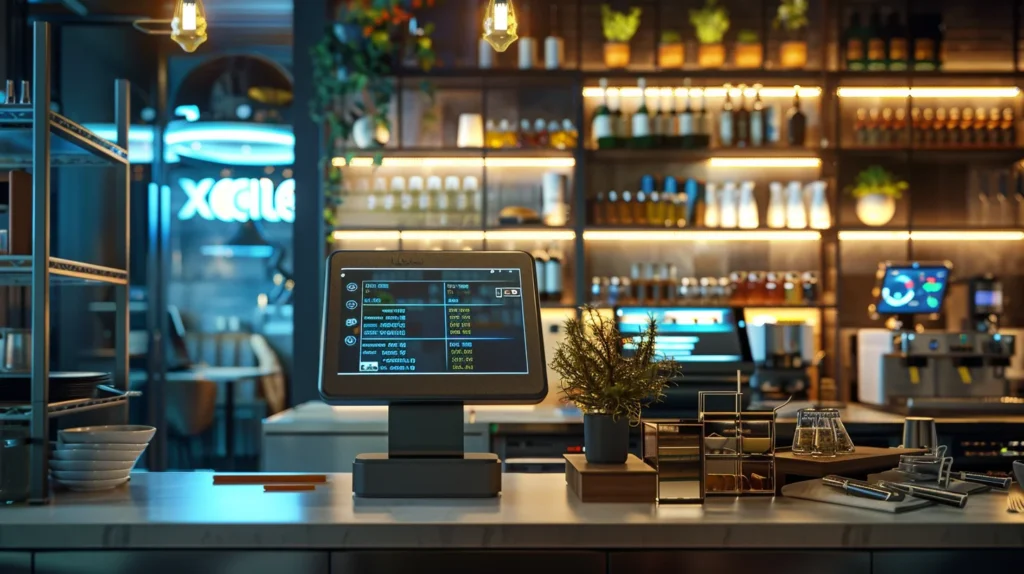
It acts as the central command center that connects delivery platforms, kitchen workflows, inventory, and financial performance.
The Core Framework (Operator Lens)
Before choosing a POS, understand what actually drives profitability.
Revenue Flow in Cloud Kitchens
Orders → POS → Kitchen → Delivery → Payment → Data → Optimization
Break this flow anywhere, and you lose:
- Speed
- Accuracy
- Profit
Contribution Margin (Critical)
Contribution Margin = Selling Price - (Food Cost + Delivery Commission + Packaging)
Cloud kitchens often lose margin due to:
- 20–30% delivery commission
- Poor order batching
- Inefficient workflows
POS must help optimize this.
Order Throughput Efficiency
Throughput = Orders Completed / Hour
Higher throughput = higher revenue without increasing rent.
What Makes a POS “Cloud Kitchen Ready”
1. Multi-Platform Order Aggregation
Your POS must integrate with:
- Foodpanda
- Uber Eats
- Talabat / Deliveroo
All orders should come into ONE dashboard.
Without this:
- Staff switches between apps
- Orders get missed
- Errors increase
2. Real-Time Kitchen Display System (KDS)
Tickets should go directly to kitchen screens.
Benefits:
- Faster prep
- Less human error
- Clear workflow
3. Inventory Integration
Every order should deduct ingredients automatically.
Related read:
How to Set Up an Inventory System in a Restaurant (Operator Guide)
4. Reporting + Analytics
You must see:
- Top-selling items
- Peak hours
- Channel performance
Without this:
You’re operating blind.
Best POS Systems for Cloud Kitchens (2026)
Comparison Table
| POS System | Best For | Pricing (USD) | Key Strength | Operator Verdict |
|---|---|---|---|---|
| Square POS | Small cloud kitchens | Free + fees | Easy setup | Good starter |
| Toast POS | Scaling kitchens | $69+/month | Strong integrations | Best all-round |
| Deliverect | Multi-platform ops | Custom pricing | Order aggregation | Essential for scale |
| Lightspeed POS | Data-driven ops | $89+/month | Advanced reporting | Premium choice |
| Revel Systems | Multi-location | Custom pricing | Enterprise control | High cost, high power |
Deep Operator Breakdown
1. Square POS
Best for starting out
Pros:
- Free base plan
- Quick setup
- Good UI
Cons:
- Limited integrations
- High payment fees
Use if:
- You’re launching a single cloud kitchen
2. Toast POS
Best overall cloud kitchen POS
Pros:
- Strong delivery integrations
- Built-in reporting
- Scalable
Cons:
- Monthly cost
- Setup required
Best for:
- Growing operations
3. Deliverect
Not a POS — but critical layer
What it does:
- Aggregates orders from all delivery platforms
Why it matters:
- Reduces errors
- Improves speed
- Centralizes control
Essential if:
- You’re handling multiple platforms
4. Lightspeed POS
Premium data-driven system
Pros:
- Advanced analytics
- Inventory integration
- Multi-location ready
Cons:
- Higher cost
Financial Logic (Where Real Money Is Made)
Scenario: Without Proper POS
- Orders missed: 5%
- Avg order value: $12
- Monthly orders: 3,000
Loss:
150 orders × $12 = $1,800/month lost
Scenario: With Proper POS
- Errors reduced to 1%
Recovery:
$1,440/month recovered
Add Efficiency Gains
- Faster prep → more orders/hour
- Better data → better menu decisions
Total impact:
$2,000–$5,000/month improvement
Operational Logic (Real Kitchen Thinking)
Speed is Everything
In cloud kitchens:
- Delay = bad ratings
- Bad ratings = lower visibility
- Lower visibility = fewer orders
Order Batching
Good POS allows:
- Smart grouping
- Efficient prep
Staff Efficiency
Without POS:
- Manual coordination
- Confusion
With POS:
Structured workflow
Customer Behavior Logic
POS data helps you identify:
- High-performing items
- Peak ordering times
- Platform performance
Example
If Uber Eats drives:
- 60% orders
You optimize:
- Menu pricing
- Promotions
- Availability
ROI & Profit Impact
Example Monthly Impact
| Factor | Without POS | With POS |
|---|---|---|
| Missed Orders | 5% | 1% |
| Monthly Revenue | $36,000 | $38,000+ |
| Efficiency | Low | High |
Net gain:
$2,000–$4,000/month
Actionable Strategy (Operator Playbook)
Step 1: Start Simple
Use:
- Square POS
- Basic integrations
Step 2: Add Aggregation
Add:
- Deliverect
Step 3: Upgrade for Scale
Move to:
- Toast or Lightspeed
Step 4: Optimize Data
Track:
- Menu performance
- Order times
- Platform ROI
Advanced Insights (Where Operators Win)
Psychological Pricing
- Delivery customers are less price-sensitive
Increase margin strategically
Menu Engineering for Delivery
Focus on:
- High-margin items
- Easy-to-prep dishes
Data-Driven Decisions
Use POS data to:
- Remove low performers
- Promote winners
Related read:
Free Restaurant POS Systems: What’s Actually Worth It
Final Operator Truth
Cloud kitchens are not food businesses.
They are:
Systems businesses powered by data and speed
Bottom Line
The best POS system for cloud kitchens is not the cheapest.
It’s the one that:
- Reduces errors
- Increases speed
- Improves data visibility
- Scales with your business
What to Do Next
If you’re starting:
Use Square
If you’re scaling:
Use Toast + Deliverect
If you’re optimizing:
Move to Lightspeed