
Most “Free POS Systems” Are Not Free — They’re Just Delayed Costs
Most restaurant owners searching for a free POS system are trying to solve one thing:
“How do I run my restaurant without spending $100–$300/month on software?”
Fair.
But here’s the reality most vendors won’t tell you:
You don’t pay upfront…
You pay later in fees, limitations, or lost control
And that cost?
It usually shows up as:
- Higher transaction fees
- Missing features (inventory, reporting)
- Operational inefficiencies
So the real question is not:
❌ “Which POS is free?”
✅ “Which POS gives the best ROI at the lowest cost?”
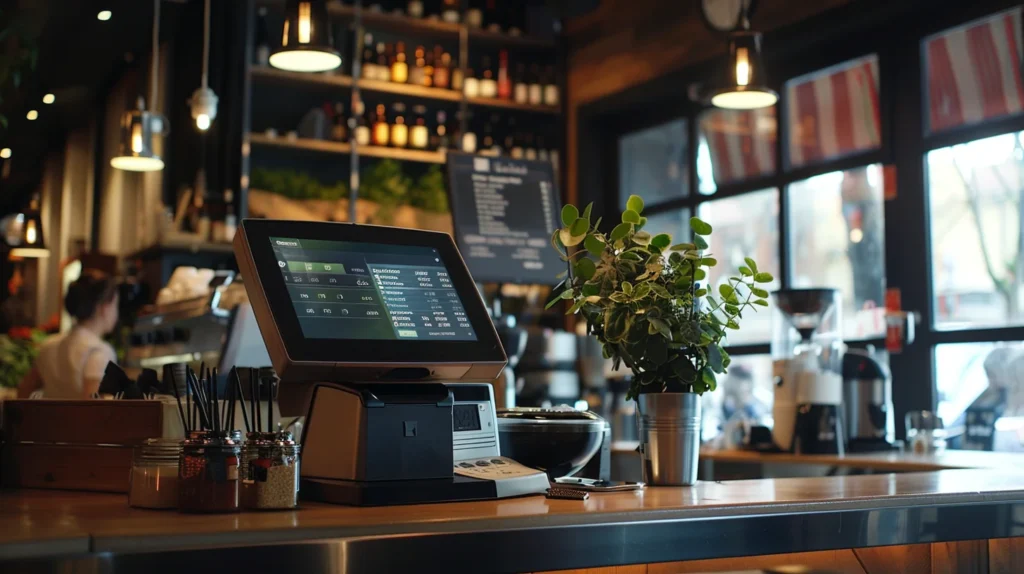
What “Free POS” Actually Means in Restaurants
Let’s reframe this properly.
A free POS system is usually:
A base-level software with limited features, designed to monetize you through payments, add-ons, or upgrades.
The Core Financial Framework (Operator Lens)
Before choosing any POS, understand this:
Real POS Cost Formula
Total POS Cost = Software + Hardware + Payment Fees + Add-ons
Example
| Component | Cost |
|---|---|
| Software | $0 |
| Hardware | $800 |
| Payment Fees | 2.9% + $0.30 |
| Add-ons | $50/month |
Your “free” POS just became a $1,500–$3,000 yearly cost system
What Actually Matters in a POS (Not Price)
A POS system impacts:
- Order speed
- Kitchen flow
- Inventory tracking
- Reporting accuracy
- Customer experience
A bad POS doesn’t just cost money
It slows your entire operation
Top Free Restaurant POS Systems (2026 Comparison)
Here’s what actually works in the market:
POS Comparison Table
| POS System | Free Plan | Best For | Key Limitation | Operator Verdict |
|---|---|---|---|---|
| Square POS | Yes | Small restaurants | High transaction fees | Best true free option |
| Loyverse POS | Yes | Cafes, small setups | Limited advanced analytics | Good starter system |
| Imonggo POS | Yes | Retail-style setups | Weak restaurant features | Not ideal for kitchens |
| eHopper POS | Yes | Small food outlets | UI + support issues | Use cautiously |
Deep Operator Analysis
1. Square POS
Best overall free POS system
Why it works:
- Free software
- Easy setup
- Solid UI
- Good for startups
Where it hurts:
- Transaction fees: ~2.6%–2.9%
- Add-ons cost extra
Best for:
- Small restaurants
- Cloud kitchens
- New operators
2. Loyverse POS
Best for basic operations
Strength:
- Free forever model
- Simple interface
Weakness:
- No deep reporting
- Inventory is limited
Good for:
- Cafes
- Low-volume setups
3. eHopper POS
“Free” but comes with friction
Issues:
- Clunky UI
- Support complaints
Only viable if:
- Budget = zero
Financial Logic: When Free POS Becomes Expensive
Let’s break this down.
Scenario 1: Free POS (Square)
- Sales: $50,000/month
- Fee: 2.6%
Cost: $1,300/month
Scenario 2: Paid POS + Lower Fees
- Software: $100/month
- Fees: 2.3%
Cost: $1,250/month
Paid POS is actually cheaper.
Operational Logic (What Real Kitchens Need)
Speed > Cost
A slow POS:
- Delays orders
- Creates kitchen backlog
- Hurts customer experience
Integration Matters
Your POS should connect to:
- Inventory systems
- Online ordering
- Reporting dashboards
Related read:
How to Set Up an Inventory System in a Restaurant (Operator Guide)
Reporting Is Non-Negotiable
Without data, you can’t:
- Track food cost
- Monitor top-selling items
- Optimize pricing
Customer Behavior Impact
A good POS helps you:
- Identify best-selling items
- Track peak hours
- Understand order patterns
Example
If POS shows:
- Fries = 40% of orders
You optimize:
- Inventory
- Pricing
- Upselling
When Should You Use a Free POS?
Use Free POS If:
- You’re launching a new restaurant
- You have low volume
- You want to test operations
Avoid Free POS If:
- You’re scaling
- You need detailed reporting
- You care about margins
Actionable Strategy (Operator Playbook)
Step 1: Start Lean
Use:
Square POS (free plan)
Step 2: Track Real Costs
Monitor:
- Payment fees
- Operational inefficiencies
Step 3: Upgrade at the Right Time
When:
- Monthly sales cross $30K–$50K
- You need deeper insights
Move to paid system
Advanced Insights (Where Operators Win)
Psychological Trap of “Free”
Free tools feel safe.
But they often:
- Limit growth
- Hide real costs
Data Is More Valuable Than Savings
Saving $100/month on POS…
but losing $2,000 in inefficiency?
Bad trade.
Best Strategy
Start free → scale fast → upgrade early
- Best Restaurant Inventory Software (2026 Guide)
- How to Control Food Cost in Restaurants
- Restaurant Menu Engineering Explained
Final Operator Truth
Free POS systems are not bad.
But they’re not free either.
Bottom Line
Choose based on:
- ROI
- Efficiency
- Scalability
Not just price.
What to Do Next
If you’re starting:
Use free POS → validate operations
If you’re growing:
Invest in a proper system